Chat, email and WhatsApp together
One queue, one set of rules, one history per customer. Your team learns a single screen rather than three.
Chat, email and WhatsApp arrive in the same inbox with the same assignment rules. Your team sees who is handling what, and the customer sees one conversation.
Extra agents at $3 a monthNo credit card requiredLive in under 5 minutes
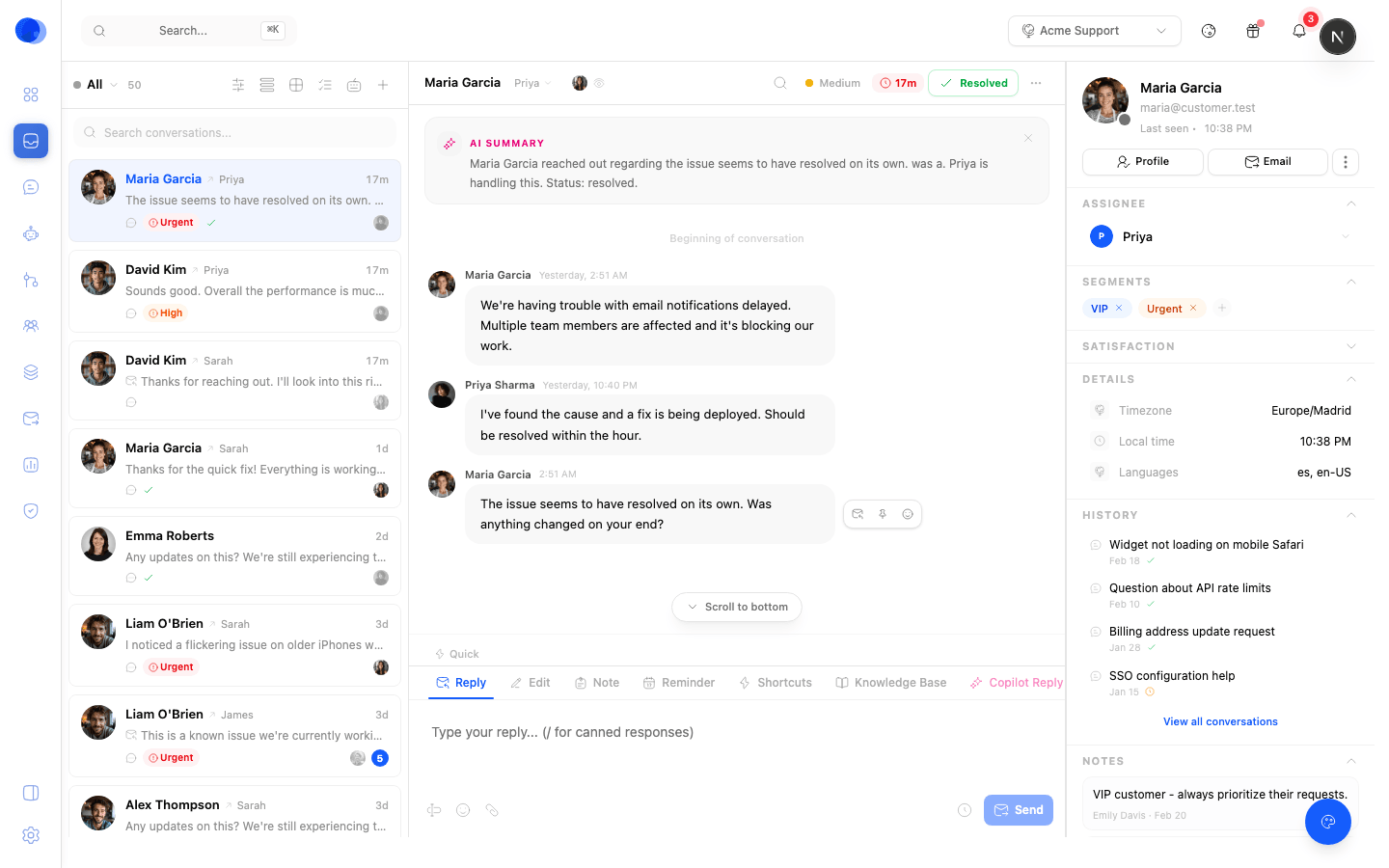
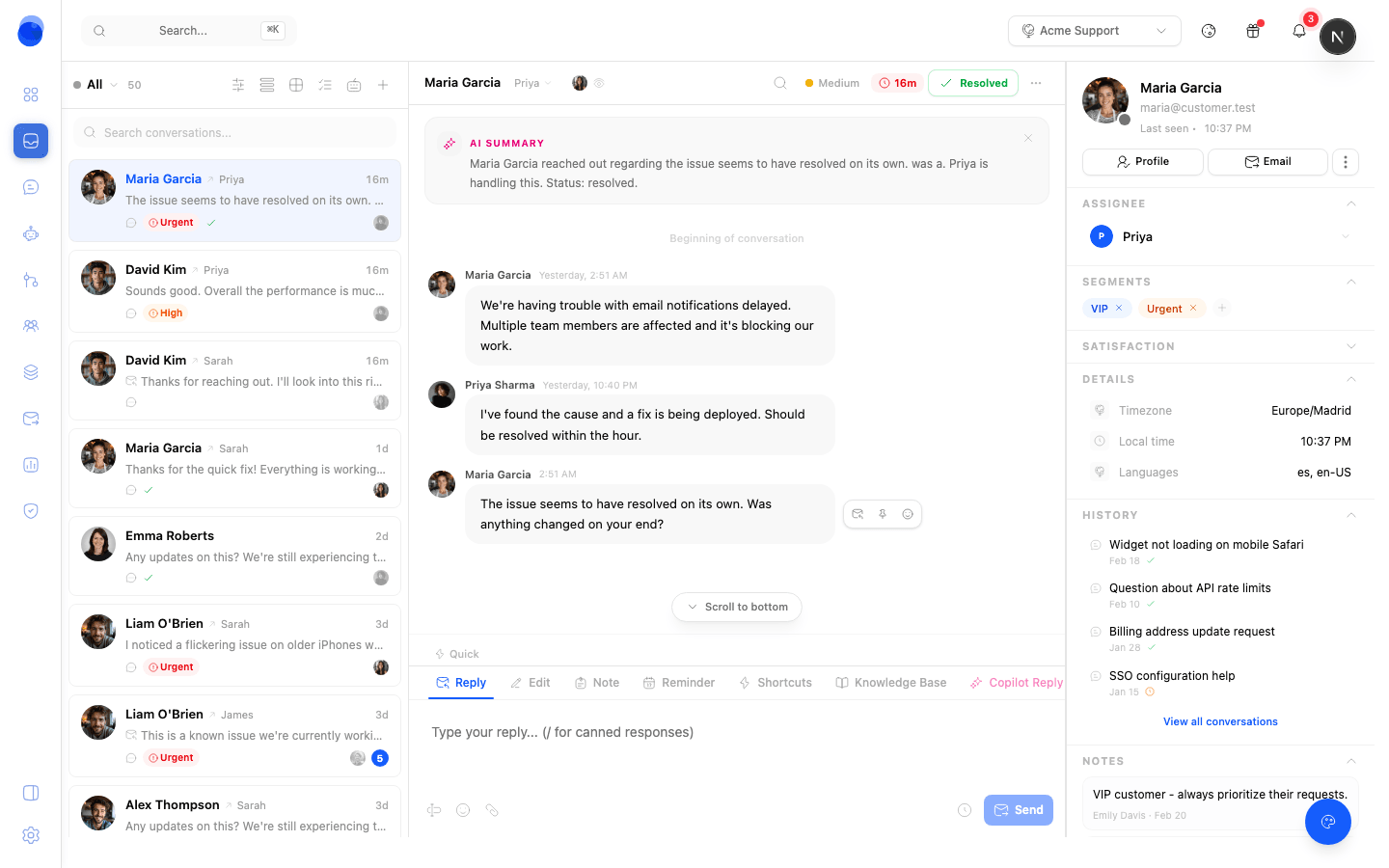
Any tool can show you a first message. What decides whether support works is assignment, visibility and history, which is where most shared inboxes quietly fall apart.
One queue, one set of rules, one history per customer. Your team learns a single screen rather than three.
Assign to a teammate, see who is typing, and leave internal notes and @mentions the customer never sees.
Send billing to one teammate and integrations to another, by keyword, channel, or the customer's own attributes.
Set first-response and resolution targets per plan or per topic. Breaches move to the top of the queue instead of being discovered later.
Label conversations as you go and get the reporting for free. Topics cluster themselves so trends show up without manual tagging.
It takes first pass, drafts replies for the ones it hands over, and summarises long threads before a human opens them.
Answering well usually needs something that is not in the message. The side panel carries the account, the history and your own notes so nobody opens a second tab.
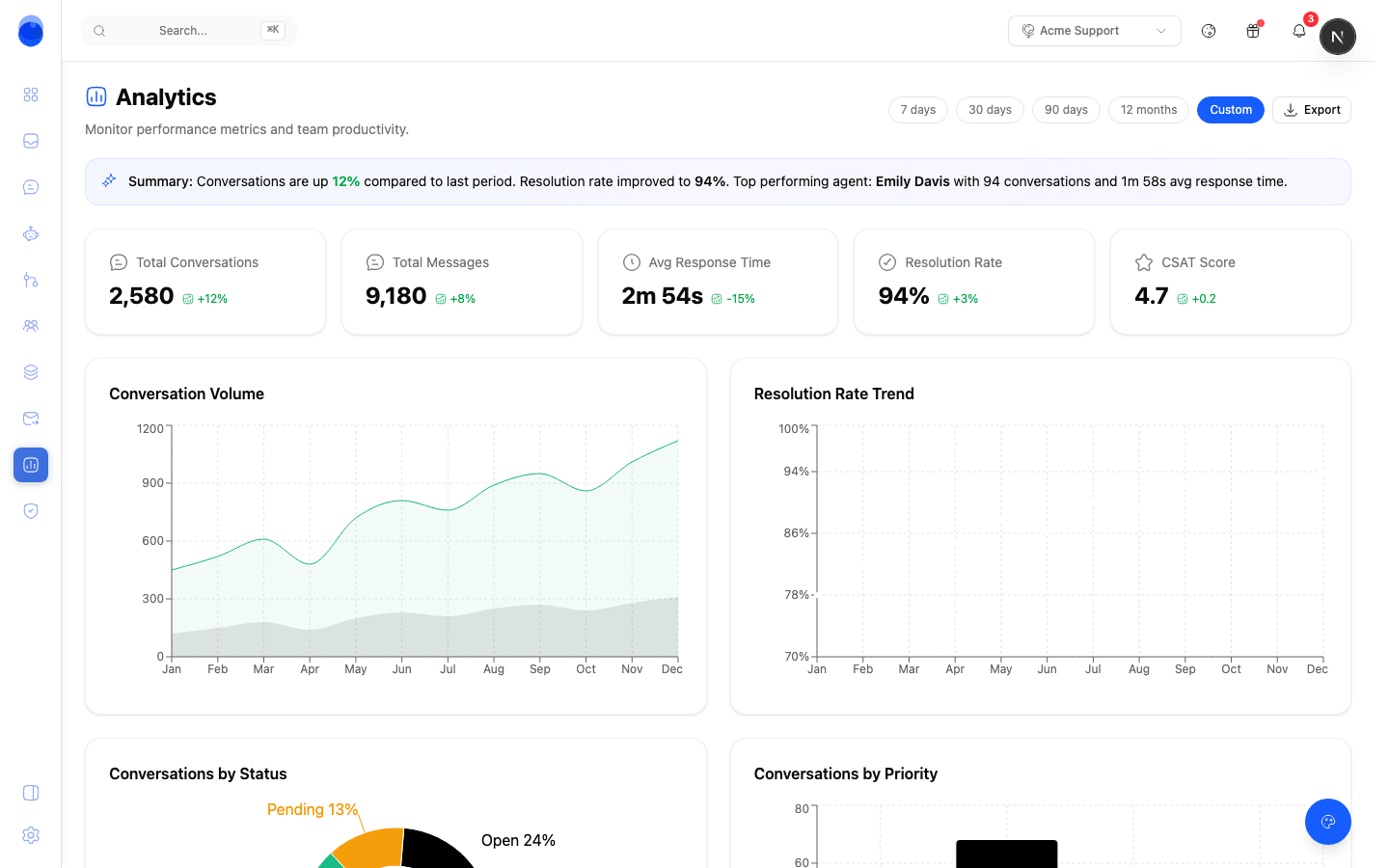
Volume by itself tells you nothing. First response and resolution times, and how the load is split across the people answering, tell you what to change on Monday.
Connect the channels you already answer on. Nothing needs to move.
Point your existing support address at Chattypie. Threads keep their history and your customers keep emailing the same place.
Drop the widget on your site and connect your WhatsApp number. Both land in the queue you just set up.
Add everyone who answers, set roles, and write the routing rules. Your plan includes a set number of agents, and extras are $3 each per month.
Each plan includes agents: 2 on Free, 5 on Starter, 15 on Pro, 50 on Business. Past that it is $3 per agent per month, which is deliberately cheap, because charging real money per seat makes the obvious fix for a slow queue the expensive one.
Yes. Forward it to Chattypie and your customers carry on emailing the address they already know. Replies go out from your domain.
Conversations are assigned, and you can see who has a thread open and who is typing before you start. Internal notes let you hand over without a second channel.
Yes. Set first-response and resolution targets per plan or topic. Approaching and breached conversations surface at the top of the queue rather than in a weekly report.
No. Chattypie is hosted by us.
Free plan, cheap extra agents, and your support email forwarded in about five minutes.